Log Card
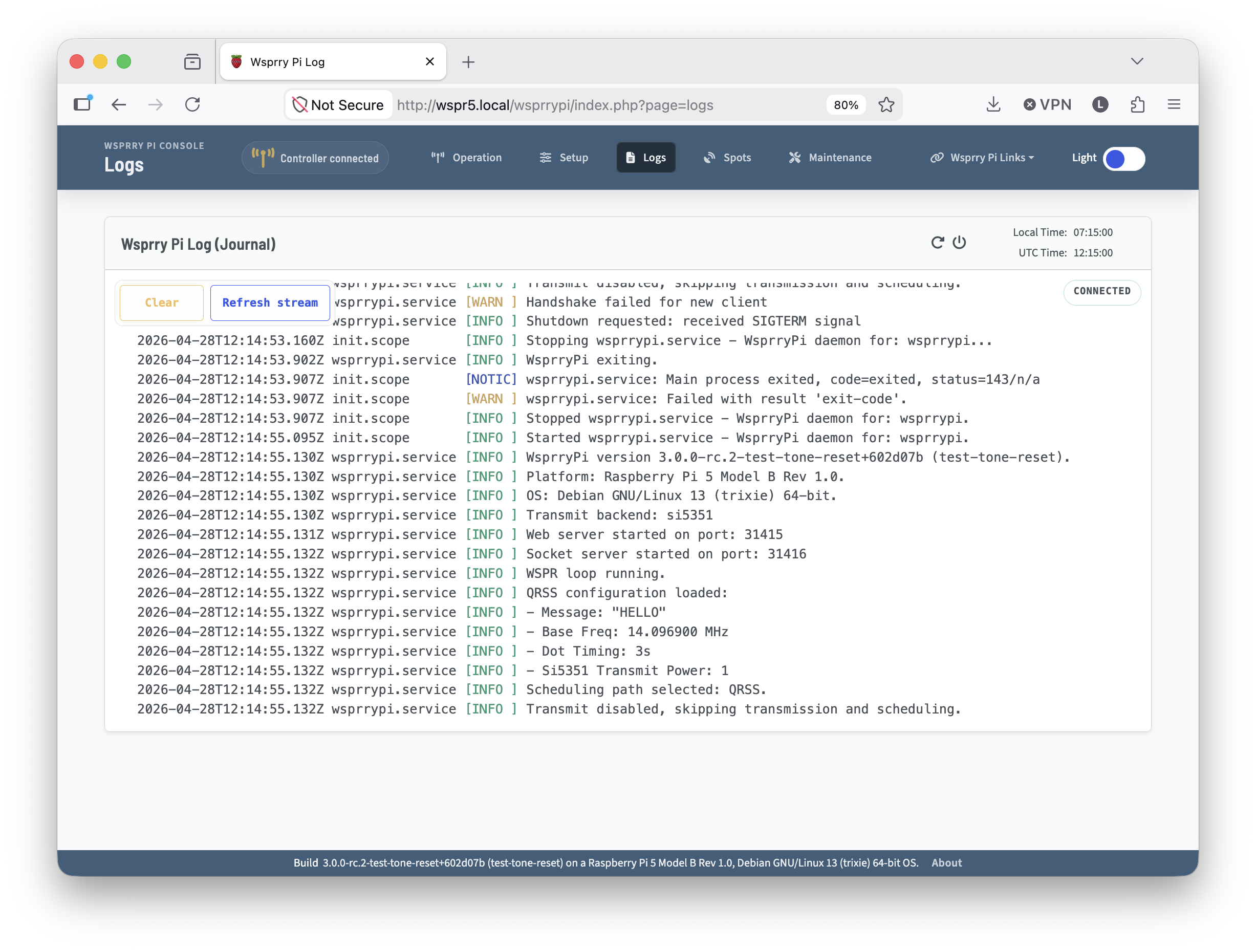
The log page auto-refreshes as your Wsprry Pi server generates logs. It accesses them from the Debian systemd-journald system.
If you need more than what is displayed, you can find the complete logs on the Pi with the command journalctl -u wsprrypi.service. By default, the Raspberry Pi retains only the current boot’s logs. You can make these persistent with:
sudo mkdir -p /etc/systemd/journald.conf.d
sudo nano /etc/systemd/journald.conf.d/persistent.conf
Then put this in the persistent.conf file
[Journal]
Storage=persistent
SystemMaxUse=64M
SystemKeepFree=200M
MaxRetentionSec=14day
Then restart journald:
sudo systemctl restart systemd-journald
And then reboot:
sudo reboot
After reboot you can see the log versions stored:
journalctl --list-boots
Then, to go back to view the previous boot’s logs, issue the command:
journalctl -u wsprrypi.service -b -1
If you want to pull from multiple boots (change the range as appropriate):)
journalctl -u wsprrypi.service -b -3 -b -2 -b -1 -b 0